The quick take
Choose wired when compatible power is already available and you value low maintenance; choose battery when installation flexibility or rental-friendly placement matters more than periodic charging.
- Inspect the doorway, wiring, transformer, chime, Wi-Fi, and mounting permission before comparing camera features.
- Hardwiring a battery model may only maintain the battery rather than turn it into a fully wired design.
- Subscriptions, local storage, notification delay, and privacy controls can matter more than headline resolution.
Start with the doorway, not the feature list
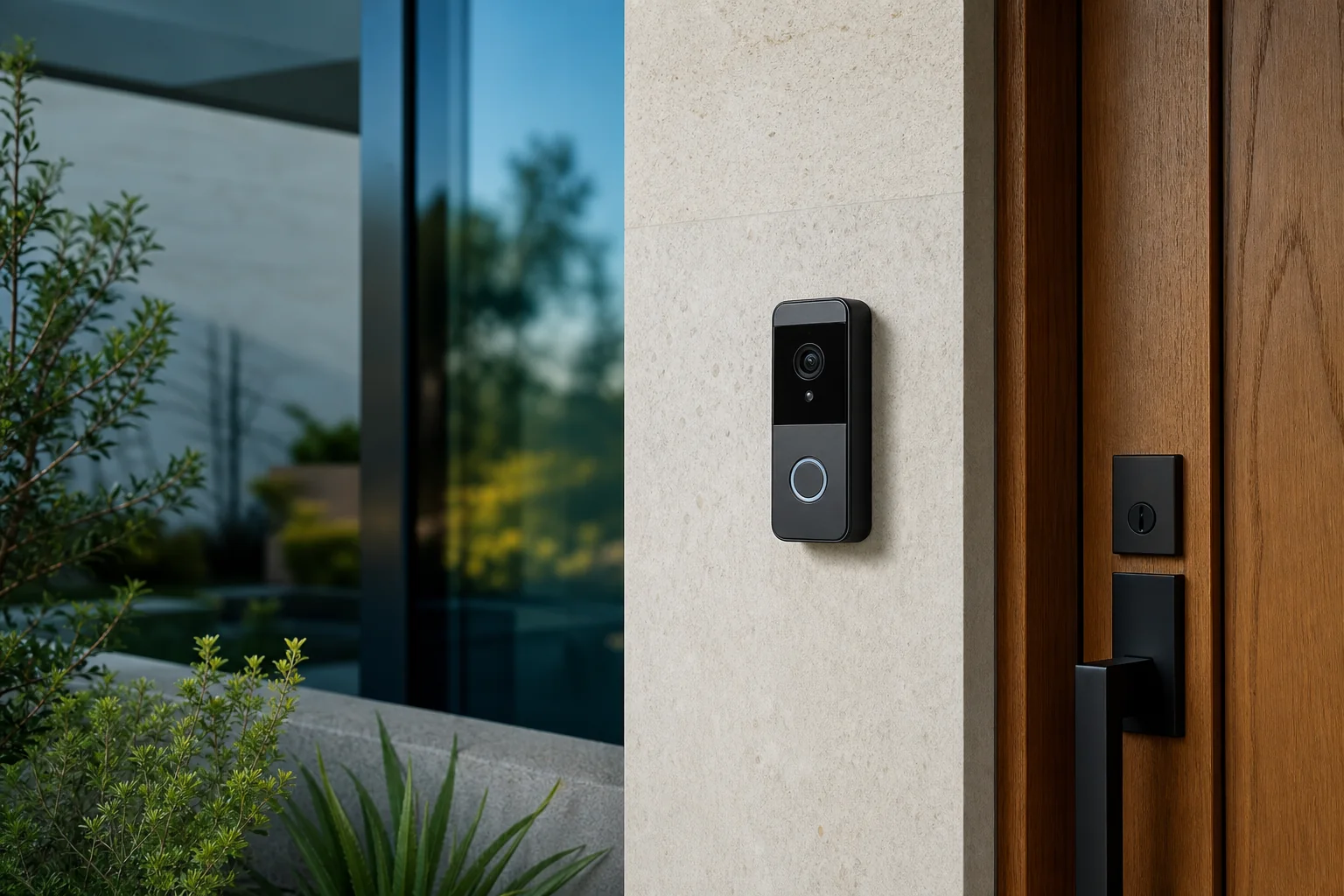
The most important difference is the power and installation path. A wired model normally connects to compatible doorbell wiring or an approved adapter and can operate without routine battery removal. A battery model uses a rechargeable pack or built-in battery and can be placed where wiring is absent, subject to mounting rules and wireless coverage. Some battery models can also connect to existing wiring, but that connection may provide a maintenance charge rather than the same behavior as a dedicated wired product.
Before comparing wired vs battery video doorbells, photograph the current button, indoor chime, transformer label if accessible, mounting surface, and the view from the doorway. Renters should check the lease and avoid permanent alteration without permission. Homeowners should verify transformer compatibility and use a qualified installer when wiring is unclear. A feature-rich model that cannot be powered or positioned correctly is the wrong choice.
Why wired is usually lower maintenance
A compatible wired installation provides continuous power, so there is no battery pack to bring inside and recharge. That is useful at a busy entrance, in cold weather that can reduce battery performance, or for anyone who does not want another charging schedule. Wired products may also support pre-roll, longer observation, or other power-dependent functions, although exact behavior varies by model and subscription. Check the product documentation instead of assuming every wired unit records continuously.
Installation is the trade-off. Existing wires can be too short, the transformer can be incompatible, the indoor chime can require an accessory, or the mounting angle can create a poor view. Ring's official support materials, for example, use different diagrams for wired and battery families and require a compatible AC transformer for applicable installations. Other brands have their own limits. Do not reuse a wiring diagram across models merely because the terminals look similar.
Why battery is usually more flexible
Battery doorbells work well when the entrance has no wiring, when a renter needs a reversible mount, or when the best camera angle is away from the old button. Installation can be simpler, but it is not friction-free. The battery must be charged, the mount must resist weather and tampering, and the device must remain within reliable Wi-Fi range. A removable pack can reduce downtime if you keep a charged spare; a built-in battery may require taking the whole unit offline.
Published battery-life estimates are difficult to compare because motion frequency, live viewing, recording length, temperature, signal strength, and alert settings all affect consumption. Plan around the maintenance process instead of treating the largest estimate as a promise. If frequent visitors or street traffic triggers constant events, a battery device may need more attention than expected. Set motion zones carefully and review the first week of activity.
Compare recording and notification behavior
Resolution is only one piece of useful video. Examine vertical field of view for packages, dynamic range for a shaded porch facing a bright street, night performance, two-way audio, notification speed, and the amount of footage captured before and after motion. Some features require cloud plans. Others depend on a home hub or memory card. A fair wired vs battery video doorbells comparison includes the ongoing plan cost and what remains available if the subscription ends.
Ask where recordings are stored, how long they are retained, who can access them, and whether two-factor authentication is available. Review household notification permissions and avoid sharing a primary account when the platform supports separate users. A doorbell camera observes visitors and may capture public areas, so choose a field of view and motion zone that serve the doorway without collecting more information than necessary. Local laws and building rules may apply.
Wi-Fi and placement can determine reliability
The signal at the exterior wall can be weaker than a phone test taken inside the hall. Brick, metal siding, foil-backed insulation, and the door itself can reduce wireless performance. Test near the final mounting position with the door closed. If the signal is marginal, improve the network first or choose a compatible extender or hub. Repeated disconnections can delay alerts and also increase battery use as the device tries to reconnect.
Camera height and angle matter as well. A wedge mount can reduce a wall-dominated image or bring packages into view, but too much angle may expose a neighbor's property. Check the manufacturer's recommended height and accessory compatibility. Ensure the button remains obvious to visitors and the lens is not blocked by trim. Good placement often improves results more than paying for a higher resolution that records the wrong area.
A practical decision rule
Choose wired if compatible infrastructure exists, you expect high activity, and low maintenance is the priority. Choose battery if there is no usable wiring, the property is rented, or flexible positioning solves a real visibility problem. A battery unit connected to wiring can be a middle path, but read the manual carefully to understand whether the wires power operation, charge the battery slowly, or support an indoor chime.
For a final wired vs battery video doorbells decision, compare total ownership rather than the launch price: device, mounting accessories, transformer or installer, spare battery, hub, cloud plan, and the time required for upkeep. Verify power, signal, field of view, storage, and privacy controls before ordering. Once those fundamentals are satisfied, camera features become useful differentiators instead of distractions.
Sources & editorial notes
This guide is based on published documentation and editorial analysis. It does not claim hands-on product testing. Sources were reviewed on 2026-08-03.